ChatGPT settings
ChatGPT Projects vs Memory vs Custom Instructions: What's the Difference?
Projects, Memory, and Custom Instructions all help ChatGPT keep context, but they do different jobs. This guide explains the difference in plain language so you know which one to use.
Quick Answer
Use Projects when you want one workspace for a topic. Use Memory when you want ChatGPT to remember useful things about you over time. Use Custom Instructions when you want fixed rules for how ChatGPT should usually respond.
Projects
Best for one job, client, course, website, research topic, or repeat workflow.
Memory
Best for long-term preferences, background details, and repeated personal context.
Custom Instructions
Best for stable writing style, tone, formatting rules, and general preferences.
Temporary Chat
Best when you do not want the chat to use or create saved memory.
What Are ChatGPT Projects?
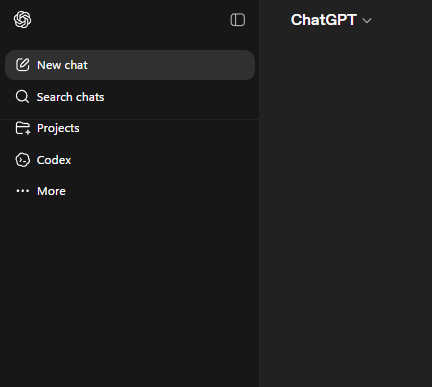
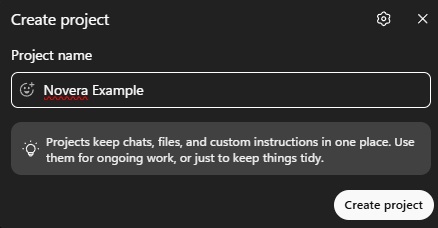
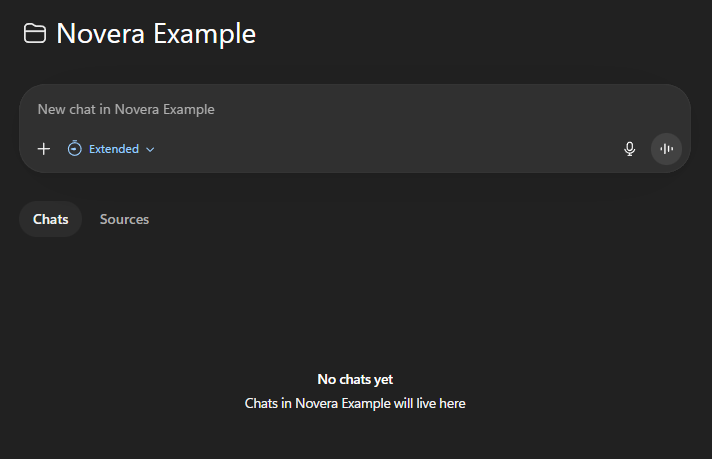
A ChatGPT Project is like a folder for one topic. It can keep related chats, uploaded files, pasted text, sources, and project instructions together. That makes it useful for work that continues over time.
For example, you could have one project for a website, one for a course, one for a business idea, and one for a writing job. The point is simple: keep the context in one place so you do not have to explain everything again every time.
Use Projects When the Work Has a Theme
Projects are most useful when the work has a clear theme. A random one-off question does not need a project. A repeated workflow usually does.
Good Project
Novera blog posts, customer reply templates, course notes, coding project, or research folder.
Not Worth a Project
A quick grammar check, one simple question, a random recipe, or a throwaway brainstorm.
What Are Project Sources?
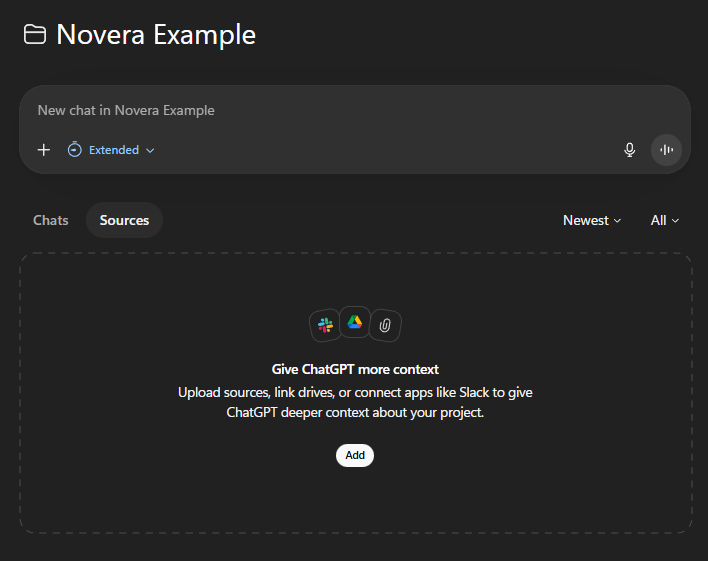
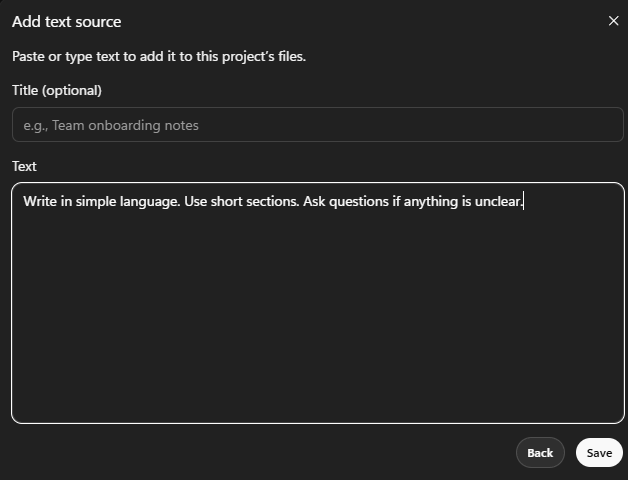
Sources are the extra material you give a project. This might be a file, pasted text, notes, a Google Drive item, or a connected app source. Sources help ChatGPT answer from the same information you are working from.
This is different from Memory. A source is usually specific material for the project. Memory is broader context that may follow you across chats, depending on your settings.
What Is ChatGPT Memory?
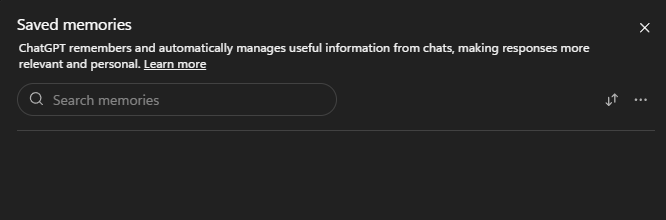
Memory is the part of ChatGPT that can remember useful details between chats. For example, it might remember your preferred writing style, your job, your ongoing project, or the way you like answers formatted.
In simple terms, Memory is more personal and long-term. Projects are more like organized workspaces. Custom Instructions are more like fixed rules you write down yourself.
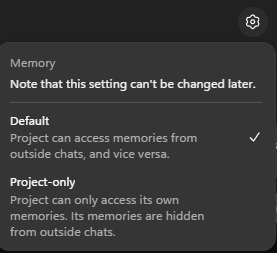
Project Memory: Default vs Project-Only
Some projects let you choose how memory works. In the project memory screen, the basic choice is whether the project can use broader memories or keep itself more contained.
What Are Custom Instructions?
Custom Instructions are preferences you set for how ChatGPT should usually respond. They can include tone, style, format, and basic background about you. They are more stable than normal chat context because you set them deliberately.
A good Custom Instruction is short and reusable. It should not be a full life story. It should tell ChatGPT how to help you better in most chats.
Good Custom Instruction Examples
Writing Style
Use simple language. Keep paragraphs short. Explain things step by step.
Work Preference
When giving advice, include the safest option first and mention any tradeoffs.
Formatting
Use headings, bullet points, and examples when the answer is longer than a few paragraphs.
What to Avoid
Do not use complicated words when a plain word explains the same idea.
Which One Should You Use?
The easiest way to choose is to ask what kind of context you are dealing with: project context, personal context, or response style.
Use Projects For
One topic, one client, one course, one website, one research area, or one repeated workflow.
Use Memory For
Useful details ChatGPT should remember across chats, like broad preferences or repeated background.
Use Custom Instructions For
Fixed rules about tone, formatting, style, and how you usually want answers.
Use Temporary Chat For
Questions where you do not want the chat to use saved memory or create new memory.
A Simple Setup for Beginners
- Write short Custom Instructions for your normal style and answer format.
- Use Memory only for details you are comfortable reusing in future chats.
- Create a Project when a topic will need more than one chat.
- Add sources to the project when ChatGPT needs notes, files, or reference text.
- Use Temporary Chat when you want a cleaner, one-off conversation.
Privacy Notes Before You Use These Features
Context is powerful, but it also means you should be careful. Do not paste private information just because a project, memory setting, or custom instruction box is available.
Do Not Save Sensitive Details
Avoid passwords, banking details, private customer data, medical details, and anything confidential.
Check Memory Sometimes
Look at saved memories now and then. Delete anything that is wrong, too personal, or no longer useful.
Use Placeholder Text
Write [customer], [company], [date], and [amount] instead of real sensitive details when possible.
Use Temporary Chat
For one-off or sensitive questions, Temporary Chat can reduce memory-related confusion.

The Short Version
Projects organize work. Memory remembers useful personal context. Custom Instructions set your normal response preferences. Temporary Chat is for a cleaner one-off conversation.
FAQ
Are ChatGPT Projects the same as Memory?
No. Projects organize related chats, files, sources, and instructions around one topic. Memory is information ChatGPT can use across chats, depending on your settings.
Do project instructions replace Custom Instructions?
OpenAI says project instructions apply inside that project and can override your global Custom Instructions for that project.
Should I put everything into a Project?
No. Use Projects for ongoing topics. For a quick question or one-time rewrite, a normal chat is usually enough.
Should I turn Memory off?
Not automatically. Memory can be helpful, but you should check what it has saved and delete anything that is wrong, too personal, or no longer useful.
When should I use Temporary Chat?
Use Temporary Chat when you want a one-off conversation that does not use or create saved memory. Still avoid sharing sensitive details unnecessarily.
Read Next
Sources Checked
This guide was written from first-hand testing and checked against current official OpenAI help pages.